

An AI customer service agent built around your information.
Configure an IAMX virtual customer service representative to explain products, policies and troubleshooting through text or voice. Select the support knowledge it may use, define what happens when it cannot resolve a question, and connect external actions only when the required service and permissions are ready.
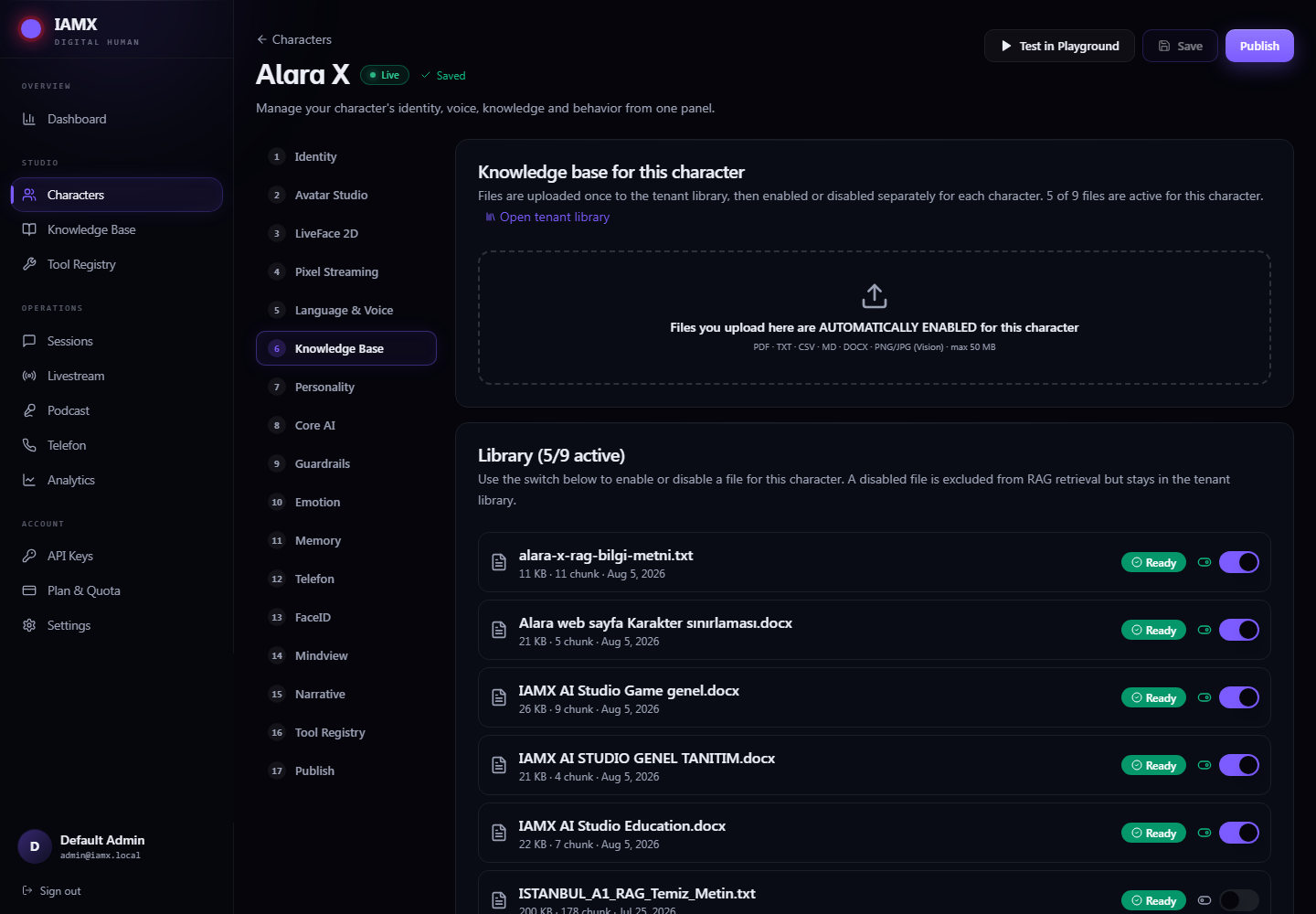
Prepare knowledge for your AI support assistant
Start with a specific customer-support task: explain e-commerce delivery terms, a bank product brochure or insurance policy terminology. Use reviewed source material and realistic questions. Financial decisions and account operations need their own authorized process.
On supported plans, the AI support chatbot can retrieve relevant passages from enabled knowledge sources when forming a reply. Review those document-grounded answers for accuracy and completeness. Configure the agent to acknowledge missing information and give your approved next step instead of treating an uncertain answer as a resolved case.
Decide which kind of help you need
| Customer request | How to prepare it |
|---|---|
| “How do I set this up?” | Enable the current setup guide and test the explanation against its steps. |
| “Where is the returns page?” | Prepare your website knowledge or an explicit guide action. Opening a page requires the visitor’s confirmation. |
| “What is my order status?” | An order-tracking chatbot needs an authorized order API, validated inputs and clear failure responses. |
| “I need someone to help.” | Provide the approved contact page, phone number or process. An automatic transfer requires a separately implemented integration. |
Build a support journey with a defined ending
- Clarify the question
Give the virtual support agent instructions for the product and audience. Ask for the relevant detail without collecting information the task does not need.
- Explain the supported answer
Use the selected knowledge or prepared public page content. Keep instructions practical and let the customer ask a follow-up.
- Offer the next step
Guide the visitor to a configured page or invoke an enabled tool. Confirmed website navigation and a business-service operation are different mechanisms.
- Make unresolved cases clear
Explain what could not be checked and where the customer can continue. Do not promise that a ticket was created or a person was notified unless the connected system confirms it.
Connect CRM and help-desk services deliberately
The Tool Registry lets you define an HTTP service and enable it for a character. A working integration needs the endpoint, authentication where required, parameter descriptions and service-side validation. Test missing identifiers, denied requests, timeouts and unexpected responses.
CRM access, support-ticket creation and a live-agent handoff are not established merely by choosing a customer service role. They depend on your own configured services and workflow. For website content and navigation, follow the separate Site guide instructions.
Check the experience before customers use it
Test common questions, outdated documents, ambiguous wording and requests outside the approved scope. Recheck important answers after changing a policy. On phones and kiosks, also test microphone permission, background noise, audio start and text entry. Language quality and response time depend on the selected providers and deployment.
Common setup questions
Can it work on our website?
Use the published website widget on a site that permits its script and embedded content. Test your actual pages and mobile layout.
Does uploading a policy authorize refunds?
No. A document supplies information. A refund or other account operation needs a separately connected, authorized service.
What is included?
Consult current pricing for knowledge access, usage and feature limits. Agree any integration and kiosk requirements before launch.
Try your own workflow.
Prepare a character, ask real questions and check the experience on the device you intend to use. Contact us to discuss the scope of your setup.
Prepared by IAMX. Features and requirements.