

AI workers with a role your team defines.
An IAMX AI worker is a digital employee configured for a specific role, with instructions, a voice, selected knowledge and permitted tools. This virtual assistant can explain, guide or perform a connected task on a website, kiosk or Unreal scene. Your team defines its scope and remains responsible for the service it represents.
Choose a useful role for your AI employee
Start with one repeatable visitor or employee need. The same conversation platform can support different roles, but each character needs its own instructions, sources and tests. The examples below describe configurations you can prepare, rather than ready-made connections to every business system.
| Role | A practical task | What you configure |
|---|---|---|
| Customer support | Explain a published return policy or setup procedure. | Reviewed support sources and a clear contact route for unresolved questions. |
| Sales assistant | Explain a vehicle specification, a property project or product differences as a virtual sales assistant. | Current product information and approved navigation or service actions. |
| Reception | Answer hotel guest questions about locations, opening hours or events as a virtual receptionist. | Site-specific information and a tested kiosk setup. |
| Product guide | Discuss a retail catalog or e-commerce product page as an AI shopping assistant. | Published Site guide settings, public website knowledge and page rules. |
| Employee information | Explain an employee handbook, HR onboarding guidance or approved IT support instructions. | Appropriate access to the deployment and carefully reviewed source selection. |
| Education | Explain lesson material as an AI tutor or use reviewed sources for corporate training. | Teacher-prepared content and the relevant Academy workflow. |
| Game NPC | Respond as a conversational AI NPC and trigger a configured game or training-scene behavior. | The Unreal integration, compatible animation and game logic. |
| Live presenter | Speak selected viewer replies as a virtual presenter for a live stream or podcast. | A comment bridge, operator controls, connected renderer and separate broadcasting software. |
Turn the role into a working configuration
- Write a specific brief
For a language practice partner or customer-service roleplay, define the learner, scenario and response style. For business tasks, state what the AI assistant handles and when your team takes over.
- Prepare its sources
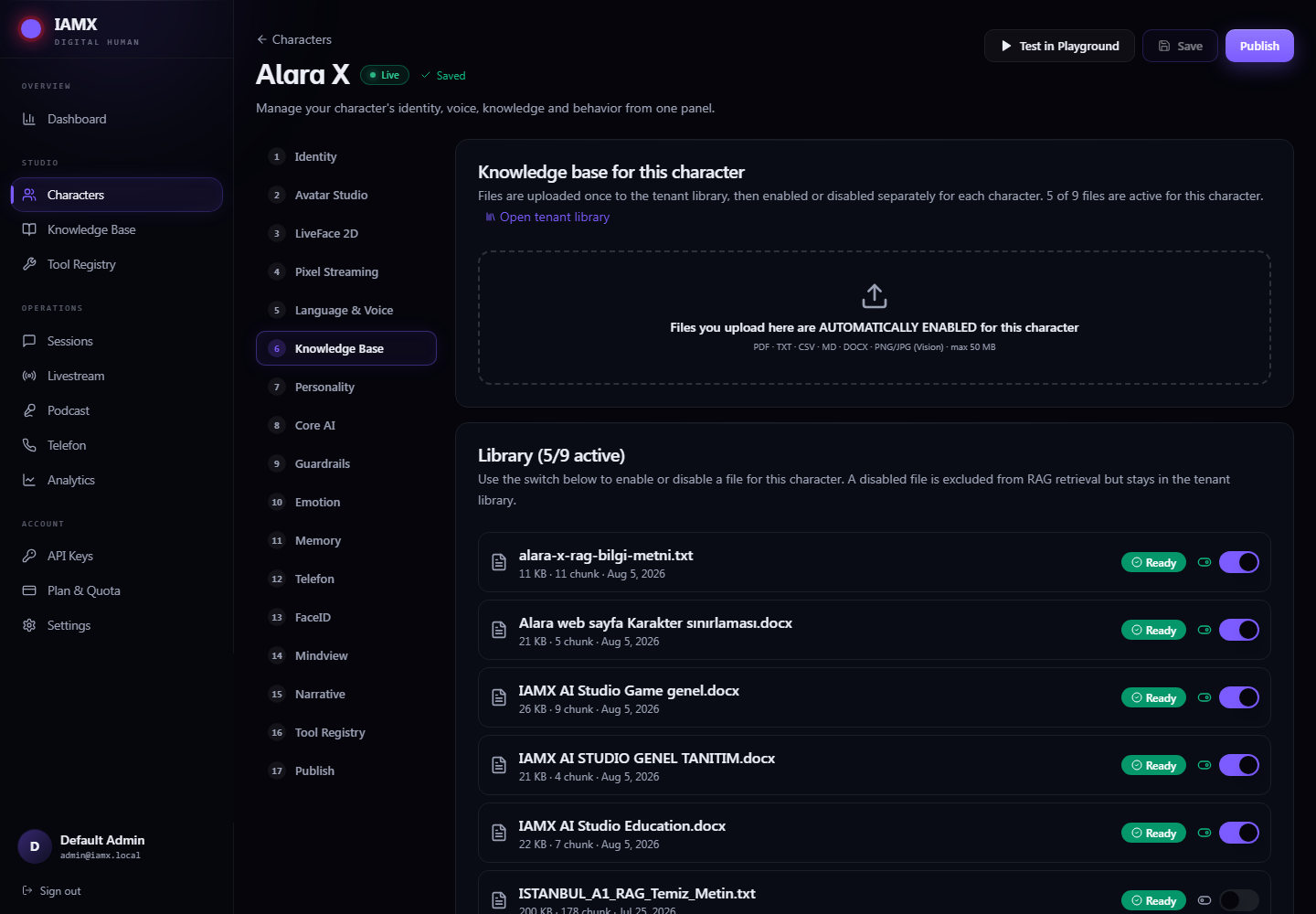
Connect the relevant training or product documents on a supported plan. An AI knowledge assistant needs reviewed sources: check sample answers against the originals and revise incomplete material.
- Allow only necessary actions
An AI agent needs configured tools to act: set each endpoint, parameters and permissions. A CRM update or appointment request also needs service-side validation and understandable failure responses.
- Test the complete experience
Check conversation, voice, appearance and actions together on the intended device. Publish only the configuration you have reviewed.
Match the workplace to the delivery method
A website avatar can provide text and voice interaction in a widget. A browser-rendered GLB uses the visitor’s device; Unreal scenes require rendering hardware, and browser delivery uses Pixel Streaming. Kiosks also need microphone, speaker and network testing in the actual environment.
For a live presenter, IAMX can manage comments and spoken responses; your encoder sends the picture to the broadcast platform. Read the live-streaming guide before planning a show. Academy has separate teacher and student workflows, with its own lesson packages.
Questions to settle before launch
Can the worker access all our applications?
Only the services and tools you explicitly connect and enable. A role description alone does not grant access to a CRM, ticketing system or private records.
How do we choose a plan?
Check current plans for character limits, weighted usage and feature access. Provider charges and rendering infrastructure may be separate.
Where should we start?
Choose customer service for reviewed support answers, or the chatbot workflow for a general text and voice conversation. Prove one useful task before adding more roles.
Try your own workflow.
Prepare a character, ask real questions and check the experience on the device you intend to use. Contact us to discuss the scope of your setup.
Prepared by IAMX. Features and requirements.